
Zotero plugin · Free
An offline dictionary inside the Zotero PDF reader
Select a word in a paper and its definition appears right there. No account, no network, no switching windows. When a word, phrase or passage is worth keeping, save it with the paper and page it came from.
Using Firefox? Right-click the button and choose Save Link As… — otherwise Firefox tries to install the file as a Firefox extension.
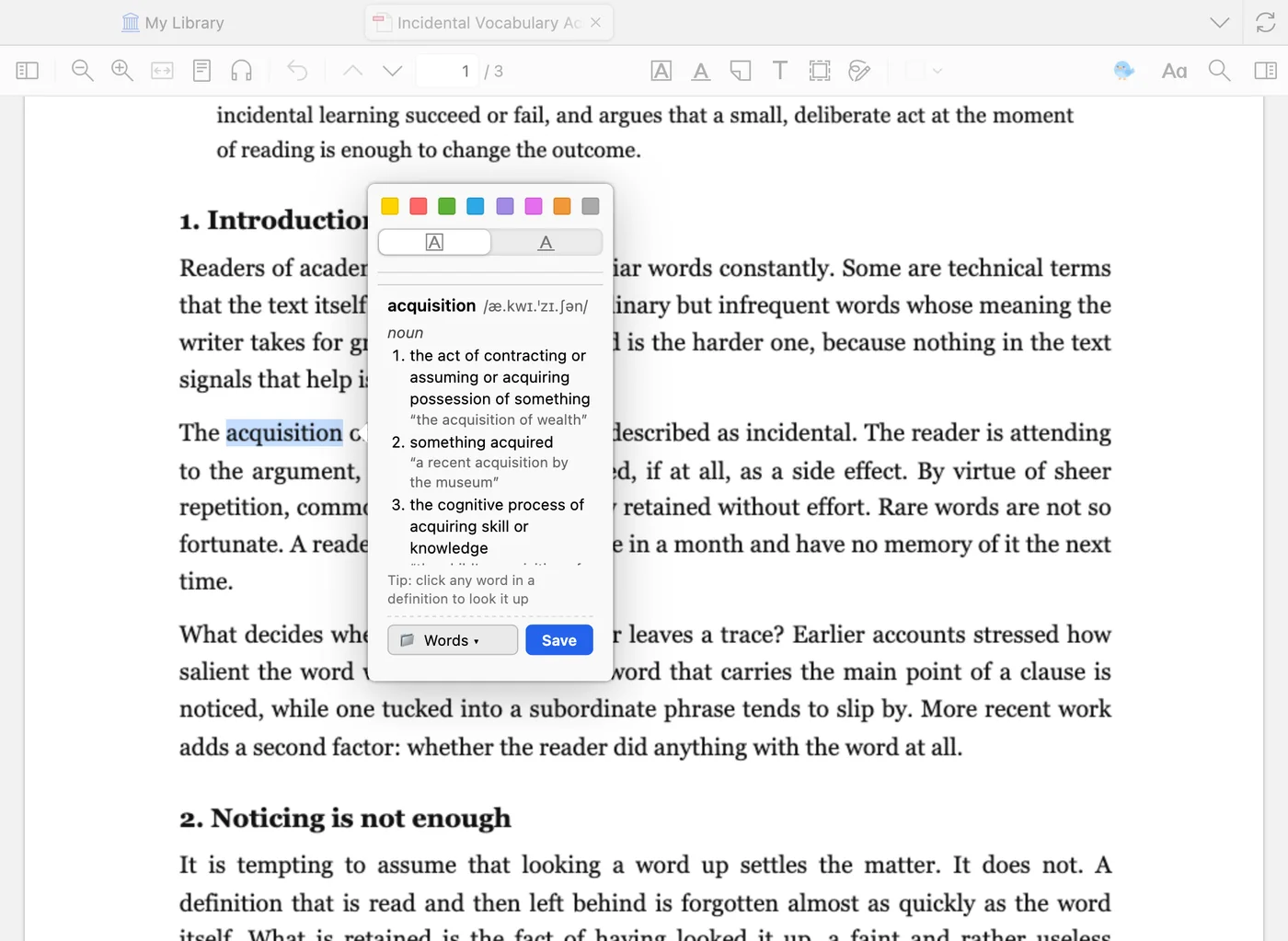
Without an account
Definitions, pronunciation and examples for any word you select, offline.
With a free account
Save words, phrases and passages with paper title and page, and find or review them later on the web.
What it does
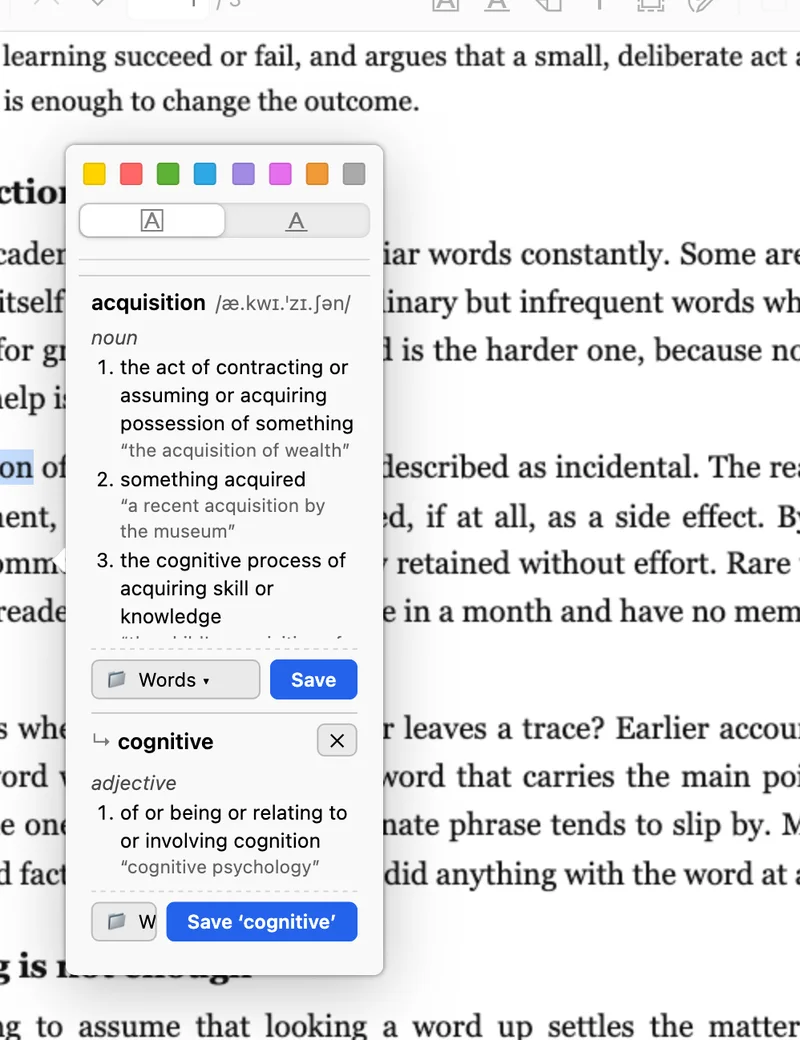
Look up a word inside a definition
Click any word in a definition and its meaning opens underneath. The word you started with stays on top, so you keep your place.
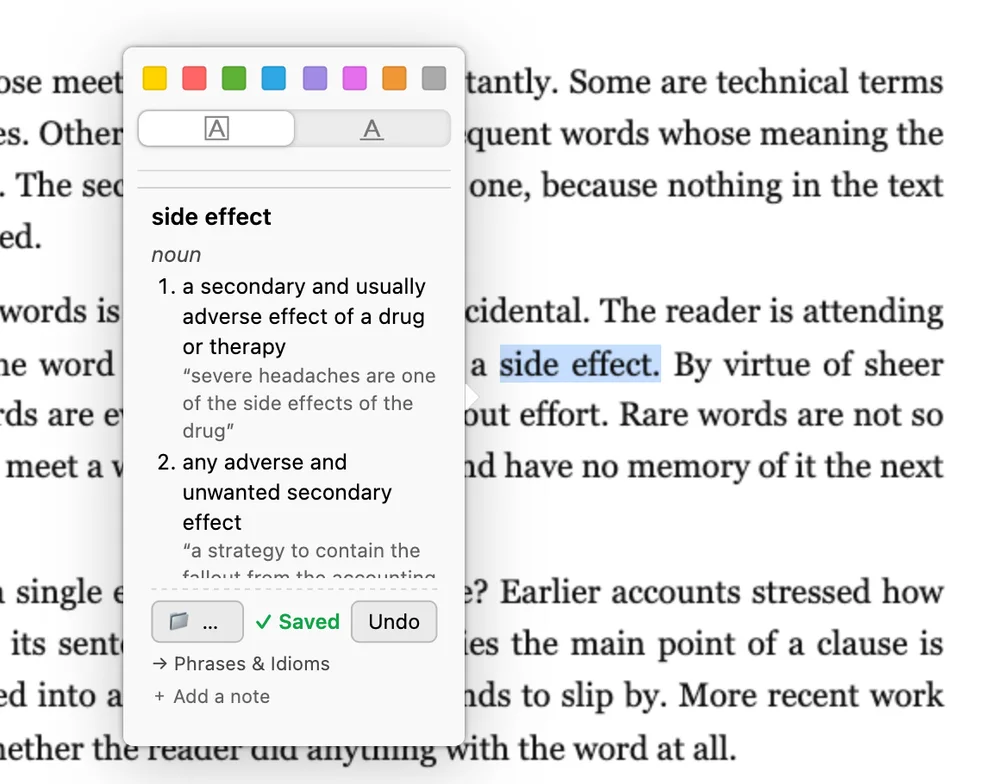
Save with one click
Press Save and it shows Saved straight away, with Undo next to it. A folder is already chosen for you: single words go to Words, expressions to Phrases & Idioms. A note is optional and only offered after you save.
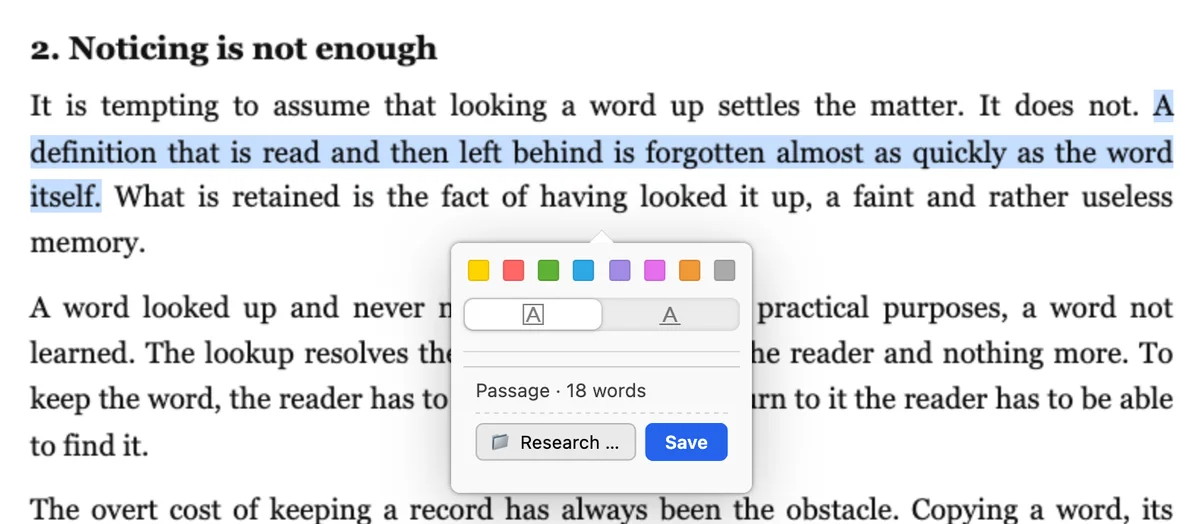
Keep a sentence or a paragraph
Select any length of text. Longer passages go to Research Quotes, kept exactly as written, or to Hard Passages if you want to come back and work through them.
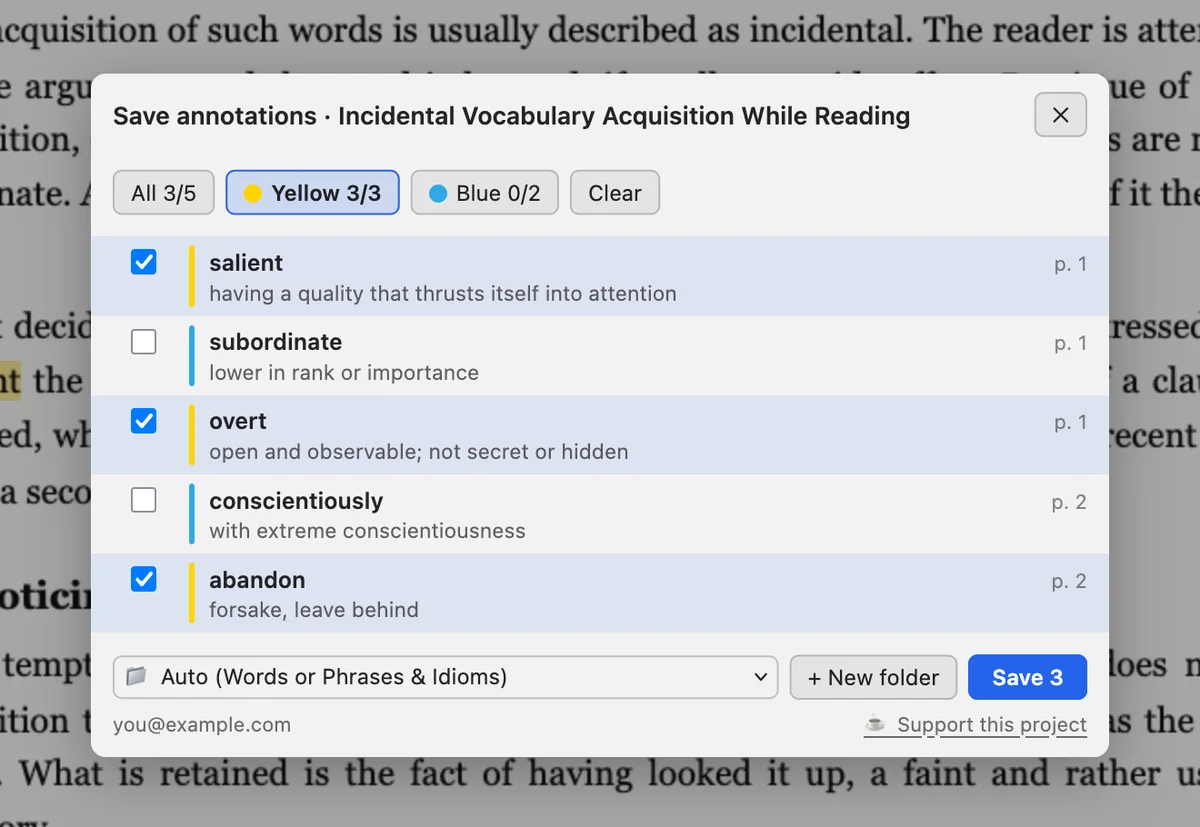
Save a paper’s highlights at once
Press the bird button in the reader toolbar to list every highlight and underline in the PDF. Pick them by colour, by type or one by one, and save them together. Comments on your annotations come along as notes.
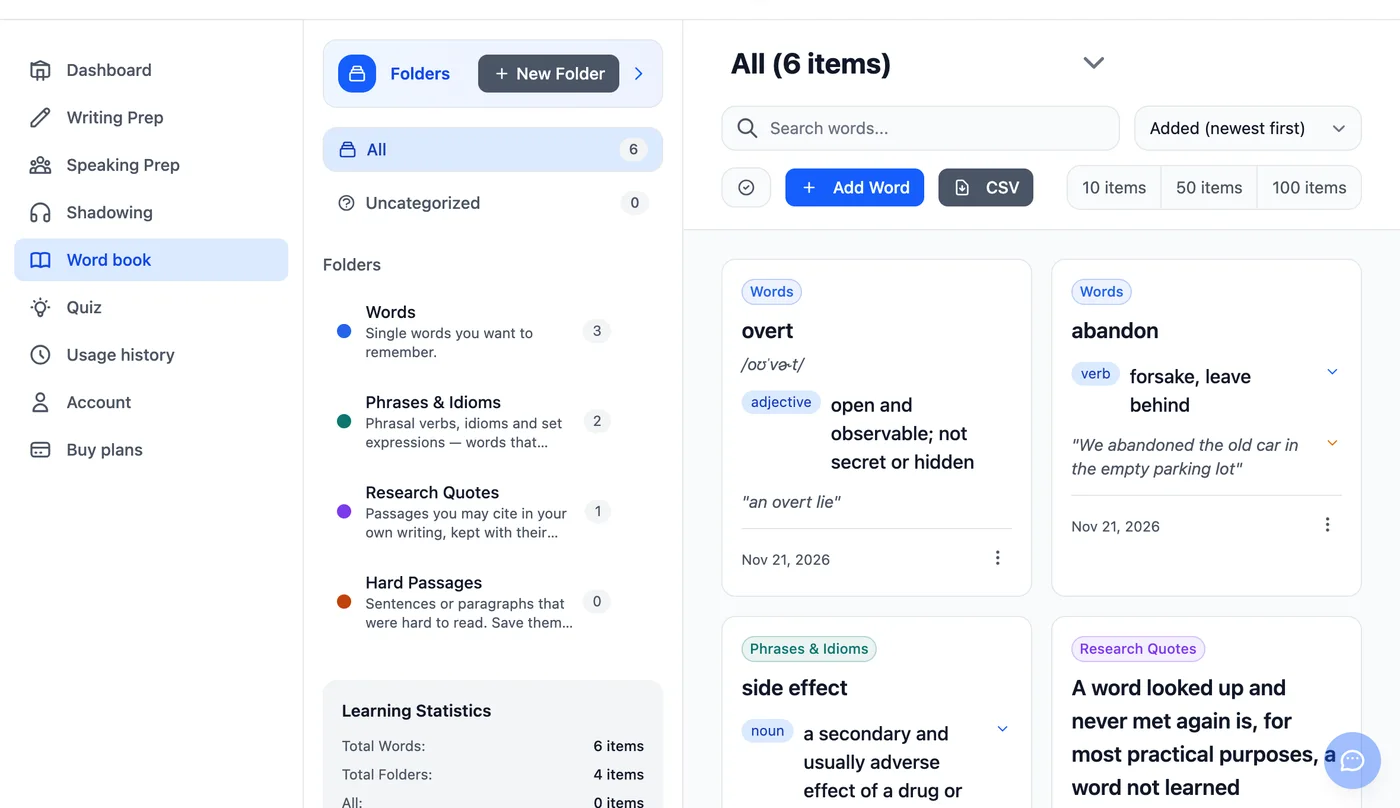
Find them again on the web
Everything you save lands in your Kkyorivoca word book, already sorted into folders. Search it, add your own folders, or quiz yourself on the words.
- Knows what you already saved. Select a saved word again and you see Saved instead of a Save button, with one click to remove it.
- Out of the way. Nothing pops up unless you select text.
- Source kept. Each saved item is stored with the paper title and page it came from.
Install
-
Download the plugin. Download kkyorivoca-0.6.6.xpi from this page.
-
Install it in Zotero. In Zotero, open Tools → Plugins, click the gear icon, choose "Install Plugin From File…" and pick the file.
-
Look up a word. Open a PDF and select a word. The definition appears under Zotero's own popup. This already works — no account needed.
-
Save it (optional). Press Save. The first time, a browser tab opens to create a free account; press Allow and the word is saved for you. After that, saving is one click.
Questions
Do I need an account?
Not to look words up — definitions work offline without one. A free Kkyorivoca account is only needed to save words, phrases and passages, so you can find them again later.
Is it free?
Yes. The plugin, the dictionary and saving words to your word book are free.
What is sent to Kkyorivoca, and what is not?
Looking a word up sends nothing — the dictionary is on your computer. When you press Save, the text you selected, its definition, your note if you write one, and the paper title and page are stored in your word book. Your PDFs and the rest of your Zotero library are never uploaded.
Which versions of Zotero does it work with?
Zotero 7 and later on Windows, macOS and Linux. It runs in the desktop PDF reader. The Zotero mobile apps do not support plugins.
Can I save whole sentences or paragraphs?
Yes. Select any length of text and press Save. Single words go to Words, multi-word expressions to Phrases & Idioms, and longer passages to Research Quotes, kept exactly as written. You can choose another folder each time.
Can I save all my highlights at once?
Yes. Press the notebook button in the reader toolbar to list every highlight and underline in the PDF, pick them by colour, by type or one by one, and save them together. Comments on your annotations come along as notes.
Do I have to write a note or pick a folder every time?
No. A folder is chosen for you and saving is one click. A note is optional and only offered after you save.
How do I update or remove it?
Zotero checks for updates automatically. To remove it, open Tools → Plugins and choose Remove. Disconnecting from your account is in the folder menu of any popup.
Screenshots: Zotero 10 on macOS, with a sample paper written for this page.
Dictionary data: Open English WordNet 2025, licensed CC BY 4.0. Kkyorivoca for Zotero is an independent plugin and is not affiliated with Zotero or the Corporation for Digital Scholarship.
Privacy · Terms · Who makes this
Version 0.6.6 · last updated 2026-11-20 · works with Zotero 7 and later